Getting Killer Results from BeFunky Photo Effects

January 14th, 2010

So, you liked your friend’s BeFunky creations and tried to create your own. But something isn’t right. Your friend’s artwork looks like it belongs in a respected art gallery and yours looks like it belongs on the wall of a kindergarten classroom.

Don’t worry. There are usually some technical and artistic reasons why your digital creation didn’t come out the way you expected. In this article, we’re going to walk you through some basic stuff you might want to consider when applying BeFunky effects. While this isn’t a specific step-by-step guide—the real fun comes when you try new things on your own—these tips provide a little insight into what leads to better results.

Know the mechanics

Light

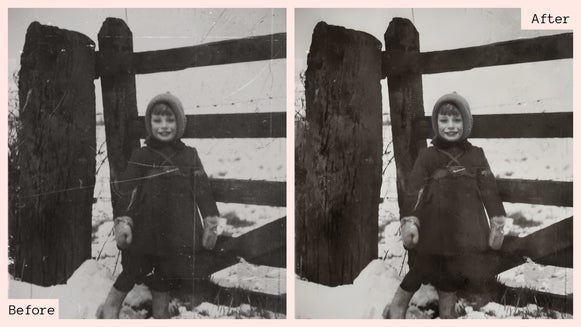
If your source photo is underexposed (very dark) or overexposed (very bright), you’ll usually end up with distorted results.

exposure

If you don’t have a different photo to use and you really want to play around with the one you’ve got, try opening the effect settings to fine-tune it. In many effects, you’ll be able to play with the brightness and other parameters before applying the effect.

Composition and Background

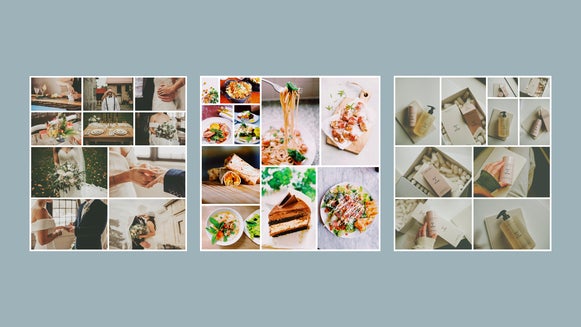
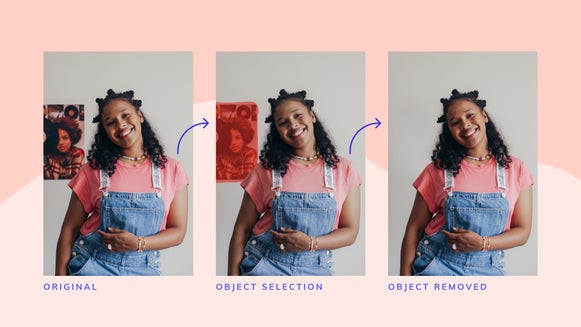
The key to great art is to keep it simple. And that goes for composition and background, too. A solid background like a wall or other flat surface will help your subject pop. Stay away from complex backgrounds with too much depth like a dining room with fancy furniture. Too much complexity might make the artwork appear too busy after you apply the effect.

Size (BeFunky Plus Feature)

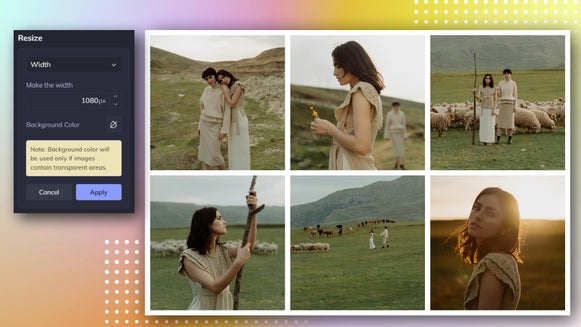
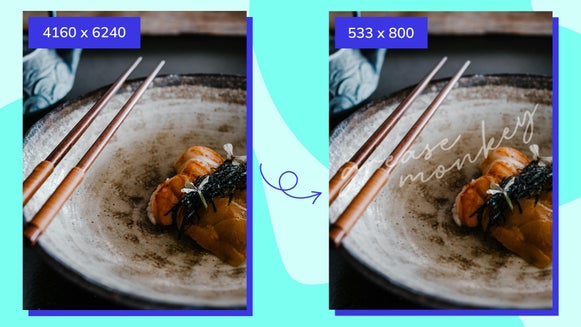
We built our BeFunky Plus feature to be really fast, even when processing high-resolution images. But if your image is too large in size, processing complex effects could take longer than you might expect. That’s why we built in a “Preview Mode” for faster manipulation. It lets you work on a smaller copy of your photo automatically so that you can try more effects and play around without being frustrated by having to wait around for the effect to render. Once you’ve decided on the best result, you can switch back to the original size.

Resolution Settings

Understand what works

Just because one effect didn’t work out, it doesn’t mean that the right effect isn’t just a click away. For example, let’s look at one of our most popular effects, the Old Photo effect. The stained paper and the torn corners would make a photo of an older woman look fantastic. But if you applied the same effect to a young woman rocking out to the latest Lady Gaga single on her iPod while surfing on her MacBook Pro at a Starbucks, the effect might seem a little off. You might want to try the Pop Art effect for that one as the results would look phenomenal.

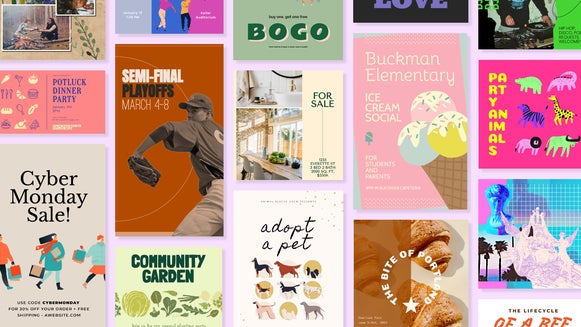
Photo content matters

The key here is to understand your subject and play around with the effects until you find one that works. If you’re posing for a photo for a specific effect, do whatever you can to help the result look amazing. By understanding each effect and figuring out what photos work best with it, you’ll be on your way to producing some unbelievable artwork with no effort at all.

In a nutshell

Bottom line? Play around and have fun. Just because one effect doesn’t work as planned, don’t give up. There could be a variety of reasons why your digital art doesn’t look as good as others you’ve seen and once you understand them, you’ll be able to fix it and create artwork that everyone will be envious of.

Change BeFunky’s Profile Picture on Facebook

January 5th, 2010

Today I was about to change the profile picture of our Facebook Fan Page. I have a great collection of images created with BeFunky, but hey, there are a lot of BeFunky users who could do better than me.  So, the fan photo with the highest number of “Likes” will be the new BeFunky profile picture for a while. Challenge starts now, until Friday 8th.
All page fans are welcome. One can post maximum 2 photos.

Please,
- No commercial stuff
- No heavy nudity
- No copyright problems

Use your own photos or any photo that you have right to upload. Edit them on BeFunky and post to our Facebook page’s wall.

May the muse be with you.

BeFunky Fan Page

“When it is ordinary, it is not funky”: Founder of BeFunky.com talks to Schmoozy Fox

January 4th, 2010

“Since SCHMOOZY FOX helps companies with business development and brand building projects aimed at helping them create funky brands, no wonder the site called befunky.com attracted my attention when I was surfing the web.”

Read the full story at http://www.schmoozyfox.com/2010/01/befunky-com-interview/ to find out:

- What’s befunky.com all about?

- How does befunky.com differ from other photo editing sites out there?

What makes our brand funky, apart from its name?

Portrait of Tekin Tatar with the "inkify" effect applied

Experience BeFunky with Sample Images

December 22nd, 2009

We’ve added some sample images to the upload panel. Now you can quickly test BeFunky effects before uploading your own pictures. Go to the Create page to start right away.

BeFunky Sample Images

New Payment Options: PayPal and Google Checkout

December 22nd, 2009

We are happy to announce that PayPal and Google Checkout are available as payment options to purchase a BeFunky Plus account. They are both secure and easy ways to make your online payments. You can still use your credit card at BeFunky over our secure connection.

befunky payment options

Upcoming Features: The Compare Tool

November 18th, 2009

I will post some previews from our upcoming version. Feel free to tell us what you think by writing some comments.

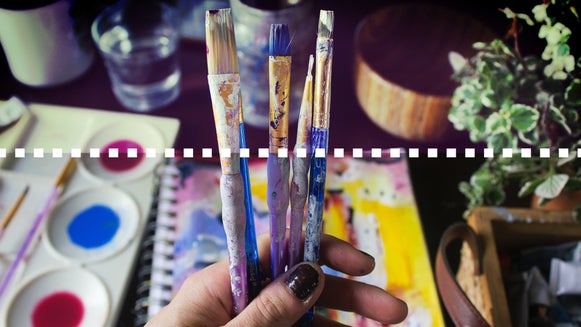
One of my favorites is the compare tool. It’s a magical slider that you can use to see your image before and after applying an effect. I can drag the vertical line to change the area it covers.

The Compare Tool

Hey look ma! I've got paint on my pants!

Upcoming Features: Goodies

November 18th, 2009

Some of the older users of BeFunky might remember the Goodies. We removed that part from the current version for further development and now it’s time to put it back. Here are some of the things you can add to your pictures with Goodies:

  • Speech bubbles
  • Photo frames
  • Appearance items like hair, beards, funky eyes
  • Accessories like glasses, hats, e.t.c
  • Shapes like, … Oh! There are so many shapes!
  • Cool graphic text

Look what I’ve done with an ordinary, boring picture while I was testing :)

The Bermuda Triangle

The Bermuda Triangle!

Nominate BeFunky for the Crunchies Awards 2009

November 16th, 2009

The 2009 Crunchies is the third annual competition and award ceremony to recognize and celebrate the most compelling startups, internet and technology innovations of the year.

The Crunchies is co-hosted by GigaOmVentureBeatand TechCrunch. Best of all, the internet community is invited to choose who wins. We need your votes to show everyone that we are one of the funkiest apps on the web :)

Just click the button below to nominate us for the awards. It will take only a few seconds. You are free to do it once everyday, until midnight, PST Friday, December 4.

Each click will make us happy like this old pal:

Happy old Baris

Finally, Vector Graphics…

August 29th, 2009

Look ahead! A few drops of high-tech collated with a piece of artistic point of view… This is how BeFunky looks ahead. We as the technology team and artists sit together, order 4-5 different drinks. We stare at those drinks served in different tastes, colors, different glasses with different shapes. Then we talk. We argue. We fight, enthusiastically with all the good will we have for the next step. And here, I talk about the next step: BeFunky Vector Graphics Engine.

From now on you will see some acronyms in BeFunky like: SVG, EPS, maybe PDF… I am pretty sure that most of the users here are already familiar with PDF (Adobe’s common document format). Now, I know that I should immediately answer 2 questions:

1) What are SVG and EPS?

2) What do these terms have anything to do with BeFunky?

The world of digital artists, photographers and designers are full of with vector graphics, which are small in size, scalable, standard and portable. They make great use of these features in poster design, logo design, photo editing and digital creativity.

We recently developed a technology, which will be integrated as an update or a special feature to BeFunky and which will allow you to retrieve outputs of some of the effects in vector graphics format, such as SVG, EPS or PDF. For now I can easily say we are sure that the raster to vector conversion capability will be on BeFunky and we will push the limits of this technology as much as we can. Simply, I wanted to announce you that the technology is there and it’s just a matter of time to integrate it and present to you.

Just wait a bit more after BeFunky Plus is released and we will fulfill this need for vector representation of raster images. The academic paper of this algorithm will also be freely available.

Ladies and gentleman, keep in touch with BeFunky!

BeFunky Over the Clouds

August 27th, 2009

tolga_cloud_image Hey Everybody!

It’s me Tolga Birdal. 5.00 am in the morning, and I am silently deciding to write my first blog entry… Who am I? Then check BeFunky About Us Page. I was looking forward to introduce myself a while ago, but had to wait for BeFunky systems to settle down, and decide on what I should write about. Considering the changes in BeFunky technology now it’s a good time to write, because there are so many news, even I can’t remember what we have accomplished.

During recent months we, as BeFunky geeks, we were working on a new server side architecture that would provide a more stable, faster user experience to you guys. We have discussed many alternatives which were capable of serving hundreds of web requests in a second and simply decided to fly over the clouds. And what the hack is that?

Cloud computing is getting pretty popular these days for its dead-simple manageability and relatively lower cost. However it’s pretty hard to “compute” something in a computer which is not yours (they call the cloud computing units as virtual layers, and something virtual is simply something you only can imagine that you have), especially if image processing and complicated vision algorithms are the case. To put in simple words, a “real” server would do computation faster than a virtual one, both in theory and in practice. That’s why please allow me to say that flying over the clouds isn’t as simple as buying a plane ticket.

BeFunky team implemented a novel, more efficient core library than before, and adapted a new server side architecture that could communicate super fast internally. At the end we came up with a system that could access more memory and utilize the CPU better. This new power now enables us to perform our complicated algorithms even on slower computers. And now we could fly over the clouds… The guys here are pretty excited to share this hilarious experience with you on BeFunky.